NETWORK & WIRELESS INSTALLATION
Bring your network plan to the site.
Install or replace switches, routers, firewalls and wireless access points with onsite support for the physical work. ALL I.T. coordinates the visit and works with your engineers through the agreed setup and checks.
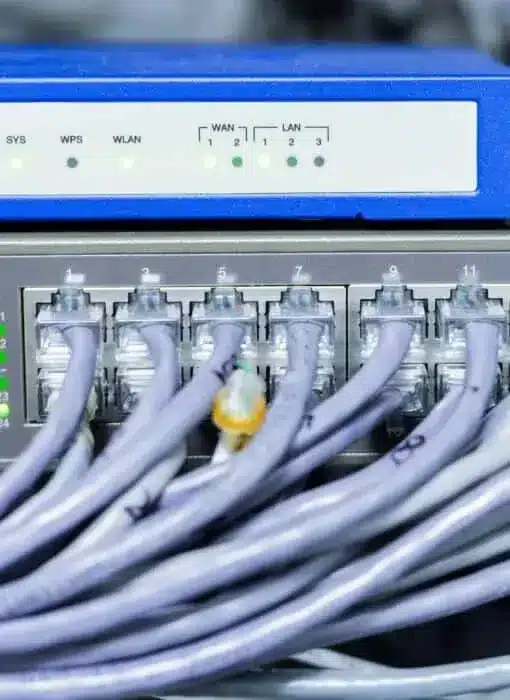
Give your change window the onsite support it needs.
Your engineers can prepare a change from a distance. A technician at the site connects that plan to the equipment and the conditions in front of it.
Work alongside your engineers
Keep the rack, console and physical connections accessible while your team manages the wider change.
Prepare the installation details
Account for equipment, mounts, optics, power and access before they become questions during the visit.
Know what was installed and checked
Return device details and check results, with configuration, carrier or application issues identified for follow-up.
From the rack to the access point.
The installation follows your approved equipment list, layout and technical instructions.
Network equipment
Mount, connect or replace specified switches, routers and firewalls.
Wireless access points
Install, replace or relocate APs and record their positions and identifiers.
Rack and port connections
Follow the rack layout, port map and patching instructions for the change.
Console access
Provide onsite access and assistance for your remote engineer.
Approved setup steps
Load supplied configurations or follow agreed setup instructions with the required access.
Installation checks
Check specified links and connectivity, then record results and remaining issues.
Prepare the change and the evidence together.
A useful installation record connects the hardware fitted to the ports, checks and technical handoffs in your approved change.
| Work | What needs to be ready | Possible completion records |
|---|---|---|
| Network installation or replacement | Models, rack and port maps, compatible optics, received hardware, approved configuration and a remote engineer. | Asset and port updates, link tests, cutover or rollback status, and the location of replaced equipment. |
| Wireless AP installation | AP locations, mounting hardware, cable and PoE readiness, and controller support. | AP identifiers and positions, port or PoE checks, photos and agreed connection tests. |
| Voice and telecom field support | Phone or circuit references, handset assignments, the carrier handoff, approved settings and the telecom contact. | Installation and patching records, agreed call or connectivity tests, and unresolved activation actions. |
Your technical owner authorizes configuration, downtime and rollback. Carrier delivery, number porting and platform administration stay with the assigned provider. Demarc extensions and cable work can be coordinated with the visit; RF measurement and survey reports are separately defined.
Review voice, network and wireless catalog scope when preparing a combined assignment.
Connect the visit to your change plan.
Your change owner retains design, downtime, stop/go and rollback decisions. We coordinate and carry out the accepted onsite work.
1. Share the planned change
Send the equipment, locations and required window, plus the installation details already available.
2. Install with your technical team
We arrange the onsite work and coordinate access and remote participation.
3. Review the results
Use the installation record, agreed checks and open issues for your change review.
Questions before you plan the work.
Does installation include network design?
This service implements the approved plan. Independent architecture or design requires separately defined work and suitable resources.
Can the work happen after hours?
Share the location and required window. We review technician availability, building access and your remote team’s participation.
Can cabling or a wireless survey be included?
Yes. Those tasks can be planned alongside installation. An RF survey has its own measurement method and report.
How should we prepare the carrier handoff for a cutover?
Use the carrier’s confirmed handoff location and activation plan. Name the contacts responsible for carrier testing, the cabling extension, building access and your network checks. Your change owner retains go/no-go and rollback decisions. The ISP cutover checklist helps you prepare those handoffs.
Structured Cabling & Rack Services
Add usable connections and organize rack infrastructure.
Site Surveys & Assessments
Gather observations and measurements that answer a defined project question.
Multi-Site Technology Rollouts
Organize installation waves, local differences and site results as one field program.
LET’S PLAN THE ONSITE WORK
Plan the physical part of your network change.
Tell us what is being installed or replaced and the window your team is working toward.
Start with the details you have.
Have site or vendor requirements? Include the information already available.
"*" indicates required fields
Your details will be used to respond to your inquiry. Privacy policy.

ALL I.T. coordinates and carries out onsite IT work for multi-location businesses and MSPs across the U.S. and Canada.
© 2026 ALL I.T. · Privacy policy