
Handover resource
Onsite IT completion record template
Record what happened at a site, what was checked and what still needs a decision. This blank completion record helps the technician and customer reviewer distinguish physical work from technical validation and acceptance.
Free, three-page working form in editable DOCX and fillable PDF. Separate fictional examples. No form required.
Download the working files
Choose the blank format for your assignment. The separate filled examples are fictional and keep physical work, technical validation, customer review and acceptance distinct.
- Blank completion record — editable Word (DOCX)
- Blank completion record — fillable PDF
- Filled fictional completion example — editable Word (DOCX)
- Filled fictional completion example — fillable PDF
Save a working copy. Reopen the saved PDF to check the values and print preview. Use continuation pages or the Word version for longer evidence or action records. Completing the form does not itself establish acceptance.
Preview the form layout: fictional example
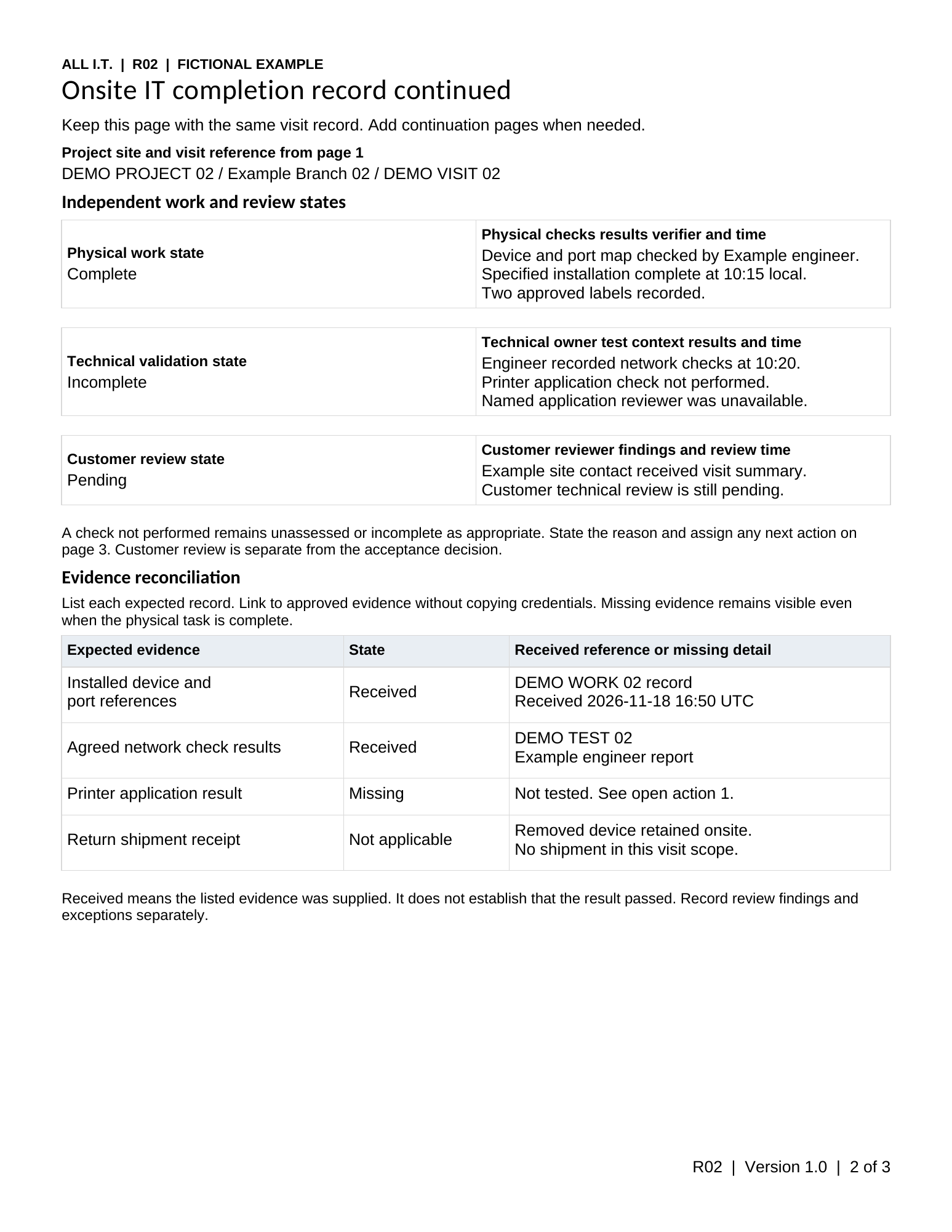
What a completion record should establish
The end of a visit does not always mean that the wider service has been restored or accepted. A replacement may be connected while an application check is still waiting for a remote engineer. The handover should make that distinction visible.
Use this template to agree the required evidence before the visit. Adapt it to the assignment’s scope, information handling rules and review requirements; it is not a substitute for those requirements.
Record the result and its evidence
- The authorized task: ticket or project reference, location, visit window and current instruction or runbook reference.
- Physical work: the work carried out, approved asset references, connection or label changes, and any task left incomplete.
- Checks: the approved checks performed, their results and references to permitted photos or test records.
- Differences: deviations from the original plan and why work was changed or not carried out.
- Remaining decisions: technical validation, business or user checks, customer review, open issues and the next responsible person.
A test that was not performed should stay unperformed. Do not mark it passed because the equipment powers on or the technician has left the site.
Keep the outcomes separate
| Outcome | Question to answer |
|---|---|
| Physical completion | Was the authorized physical task carried out? |
| Technical validation | Were the agreed technical checks performed, and what were their results? |
| Customer review | Has the person responsible reviewed or accepted the work under the agreed process? |
| Open action | What remains, who owns it and what happens next? |
Use only the outcomes that apply. Store sensitive identifiers and photographs in the agreed system, and reference them without copying access secrets or unnecessary personal information into the record.
Completion record examples: write down what was observed
A useful record names the check and its result. “Tested working” leaves the next person guessing whether anyone checked the connection, the application or the task staff need to perform.
| Work package | Useful result to record | Keep open when |
|---|---|---|
| Store equipment setup | Record whether an authorized test transaction completed, camera access worked and the agreed door-access check passed. Reference results without copying payment or access credentials. | A device is connected but the business-function check has not happened. |
| Equipment replacement | Record the approved replacement, connection checks and the remote engineer’s observed application result. | Hardware is packed for replacement or a replacement is still due to arrive. |
| Office move | List the workstations installed and checked, then list those deferred because furniture or access is unavailable. | Part of the endpoint list remains for a later visit. |
| Equipment return | Record what was collected and the carrier handoff reference, then track destination reconciliation separately. | Shipment is recorded but the receiver has not confirmed the items received. |
For each unchecked or incomplete item, give the reason, next action and responsible person. A ticket status or satisfaction score does not replace the technical record, particularly when later notes describe an unresolved result.
Use it before and after the visit
For assignments with more specific checks, use the ISP cutover onsite checklist or conference-room acceptance checklist to agree the result each reviewer needs before completing this record.
Agree the evidence when completing the site readiness checklist, then return the record through the approved ticket or project system. For a larger program, connect each record to the rollout location tracker.
Read the network installation planning guide for the relationship between installation, checks and handover, or browse all planning templates.